Local AI Studio — Part 5: A 15-Second Reel, and When *Not* to Use a Video Model
This is Part 5 of the Local AI Studio series,
and it's the one with an actual deliverable at the end — a real, finished thing, not a
benchmark.
I wanted a 15-second vertical reel — the kind you'd post as a story — of the part of El
Salvador I love: the rural Pacific coast. Fishing lanchas pulled up on black sand, coconut
palms, a rancho with a comal going, pelicans over the surf, the sun dropping into the
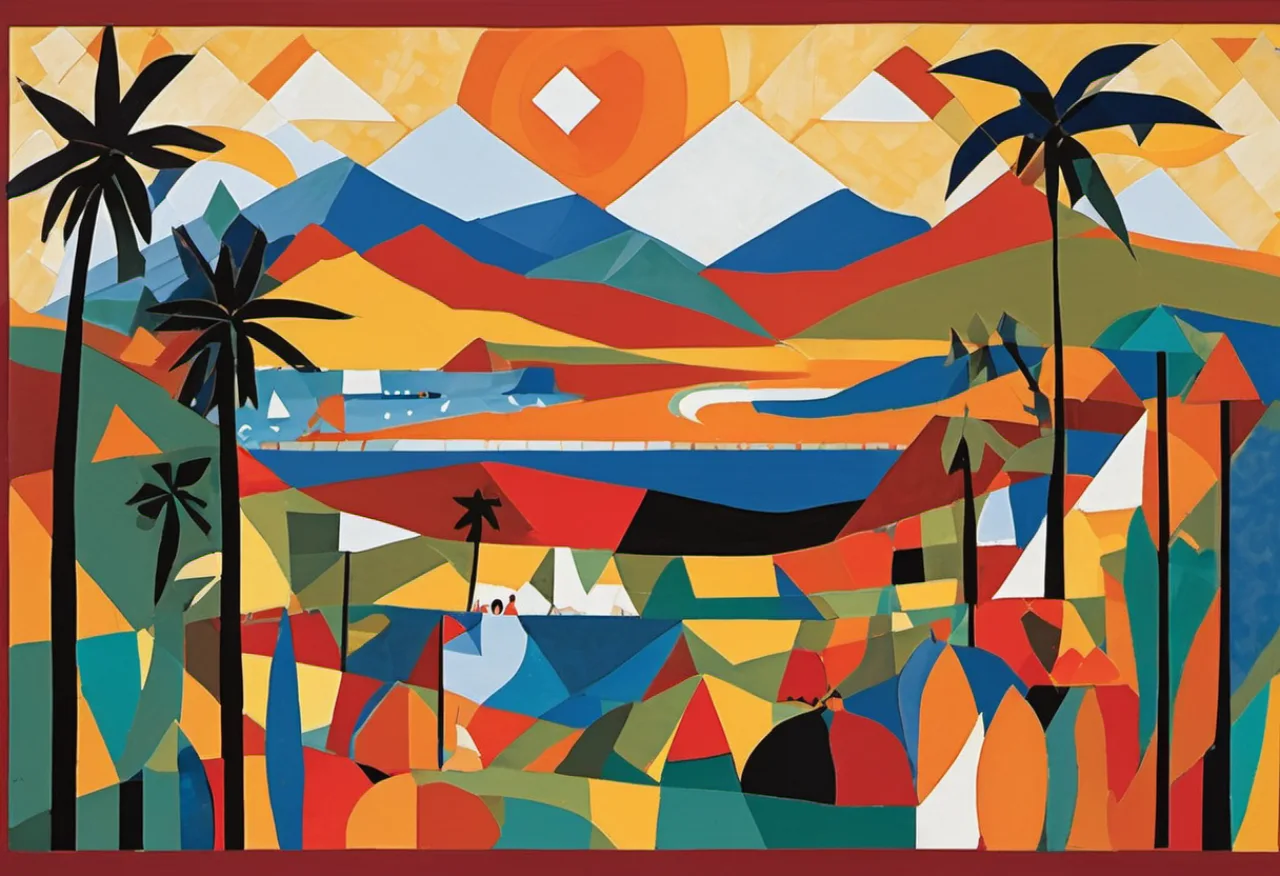
ocean. And I wanted it in the blog's house look: papercut cut-paper collage, fragmented
like Cubism, in a saturated Salvadoran folk-art palette.
I'd just spent the whole series
getting local video models running on my Mac. So the obvious move was to point Wan or
LTX-Video at it and hit go.
I didn't. And the reason I didn't is the actual lesson of this post.
The reel
Here's what I ended up with — generated end to end on a Mac Studio, no cloud, no API bill:
The soundtrack — a bossa nova in the Tom Jobim vein — was generated locally too; how that's
done is Part 6.
Now let me tell you why it is not a video-model output.
The instinct, and why it's a trap
Here's the reframe that made the whole decision easy:
A text-to-video model is the right tool when you want realistic motion. It is the
wrong tool when you want a specific, flat, graphic style — because realistic motion
is exactly the thing that destroys a flat, graphic style.
Models like Wan 2.1 and LTX-Video are trained on real footage. Their entire instinct is to
make things move like the physical world — shimmer, parallax, soft photographic light. Point
one at a crisp cut-paper collage and it doesn't animate your collage; it slowly melts it
into photoreal mush, paper edges and bold outlines and all. I'd already watched Wan fight a
flat style in Part 4 — and
that was before asking it to hold six different stylized scenes together for fifteen seconds.
There's a second, more boring problem: 15 seconds is a long time for a local video model.
On my M1 Max, coherent clips top out around 4–5 seconds, and they cost minutes each. A
15-second reel would mean stitching several of them anyway — so I'd get the worst of both
worlds: long render times and a style the model is actively working against.
The technique I used instead: animated stills
So I flipped it around. The thing my Mac is genuinely fast and faithful at is
SDXL still images in exactly this style (see Part 3).
A reel is really just a sequence of images with motion and cuts. So:
- Generate six stills — one per scene of the little story — vertical 9:16, in the
papercut-Cubist-folk-art style. - Add the motion with
ffmpeg— a slow Ken Burns zoom-and-pan on each still, crossfades
between them, assembled to exactly 15 seconds at 30 fps.
The motion is "fake" — it's pans and dissolves, not generated frames — but for a stylized
story reel that's not a compromise, it's the correct aesthetic. Stories and reels have used
this exact technique forever because it reads as deliberate art direction, not as a model
hallucinating physics.
The style, in one reusable string
Everything visual lives in a single prompt prefix I prepend to each scene. Name the medium,
name the structure, name the palette, and — critically — forbid text:
Cut-paper collage in the papercut / decoupage style — layered construction paper with visible
cut edges and soft drop shadows — composed in the Cubist style of Picasso (fragmented planes,
multiple viewpoints), in a vibrant Salvadoran folk-art palette: saturated reds, yellows,
cobalt blues, greens, oranges, bold black outlines, naive joyful forms. Flat, decorative,
no text, no letters.
Then each scene just adds its subject: "a dirt road of coconut palms leading to the Pacific,
a volcano on the horizon", "colorful fishing lanchas on black sand", and so on through to
the sunset.
The motion, in one ffmpeg idea
Each still becomes a 3-second clip via zoompan — upscale it to give the crop room, then
ease a slow zoom while drifting the frame:
ffmpeg -loop 1 -i scene_03.png -t 3 -r 30 -vf \
 "scale=1080:1920:force_original_aspect_ratio=increase,crop=1080:1920,\
  zoompan=z='min(zoom+0.0010,1.18)':\
  x='iw/2-(iw/zoom/2)+100*(on/90)':y='ih/2-(ih/zoom/2)':d=90:s=720x1280:fps=30" \
 clip_03.mp4
Then chain the six clips with crossfades. With 3-second clips and 0.6-second dissolves the
offsets are just k × (3.0 − 0.6), and six of them land on exactly 15.0 seconds:
[0][1]xfade=transition=fade:duration=0.6:offset=2.4[a1];
[a1][2]xfade=transition=wipeleft:duration=0.6:offset=4.8[a2];
... → [v]   (6 clips, 5 transitions, 15.0s)
The numbers (this is the point)
I instrumented the whole pipeline, because the cost is the most convincing part of the
argument. Everything below is on the Mac Studio — M1 Max, 64 GB, MPS, fully local:
| Phase | Detail | Time |
|---|---|---|
| Image generation | 6 × SDXL @ 832×1216, 30 steps | 423 s (~70 s each) |
| Ken Burns motion | 6 clips via ffmpeg |
3.2 s |
| Crossfade assembly | 5 transitions → 15.0 s | 2.6 s |
| Total | end-to-end | ~429 s (7 min 9 s) |
Look at the shape of that:
98.6% of the time was spent generating images. The actual video assembly took under six seconds.
Now compare the road not taken. Six Wan clips of these scenes — one per scene, since you
can't hold 15 seconds in a single generation — would have run roughly 90 minutes on this
hardware. For a result that would have looked worse, because the model would have spent all
those minutes sanding the cut-paper edges off my style.
~7 minutes for the right look, versus ~90 minutes for the wrong one. The "video" tool was
13× slower and off-style.
The takeaway
It would be easy to read this series as "local AI video is here." It's more honest to say
something narrower and more useful:
Match the technique to the aesthetic, not to the hype. "I want a video" does not
mean "I need a video model."
For realistic motion — a person turning, water moving, a camera push through a real space —
reach for Wan or LTX and pay the minutes. For a stylized, graphic, designed piece like this
reel, a great still generator plus a few seconds of ffmpeg will beat the fancy tool on
speed, on control, and on faithfulness to the look you actually wanted.
My Mac painted six little paper-collage postcards of the Salvadoran coast in seven minutes,
and ffmpeg turned them into a reel in six seconds. I'll take that trade every time.
That's the Local AI Studio series
through the picture:
install →
automate →
benchmark →
video → a real little film,
made the pragmatic way. The one thing it's missing is sound — so in
Part 6 I generate the
music locally too and score the reel.